There are 3 basic kinds of food preparation thermometers that are available to consumers. Each has its unique pros and cons. The main warning here is to be careful how you use them-i.e. actually read and follow the directions. Otherwise you may only think you're getting the correct temperature of your food.
The Classic: The Bi-metal Thermometer
Remember that thing with the round dial atop a long metal stem that mom and dad used to put in a turkey or pot roast? That was a bi-metal thermometer also known as a meat thermometer. It's been around since the 19th century. The most basic thermometer out there, the bi-metal thermometer uses two different kinds of metals formed into coils (within the metal stick or stem) that contract and expand depending on the temperature they are exposed to.
The round dial converts those contractions and expansions into a Celsius and Fahrenheit reading. It's important to note that to get the most accurate reading the coil-wrapped metals must be immersed up to a point designated by a dimple on the stem. Partial immersion that does not reach the dimple will result in inaccurate readings. Assuming the dimple on the stem is higher than a few inches from the base, the thermometer cannot be used to measure the temperature of chicken breasts, potatoes, steaks, etc. It is primarily used with those thicker, rounder meats like roasts.
Pros: Inexpensive, time-tested
Cons: It's not as accurate as modern thermometers and the readings are slower.
The Modified Classic: The Digital Pocket Test Thermometer
The Digital Pocket Test Thermometer includes everything good about the bi-metal thermometer-ease of use, low maintenance, and simplicity-with some added ergonomic features. The first change, as the name suggests, involves replacing the mechanical dial with a digital dial that often displays readings to the tenth degree. This gives users more accurate temperatures and the temperature is the same regardless of what angle you're looking at the thermometer from (unlike the hand on a bi-metal thermometer dial).
The second change is the amount of the stem that needs to be immersed into an item. Thanks to the "thermistor sensor" introduced in 1930 by a fellow named Samuel Rubin, users only need to insert the tip of the stem rather than several inches of it to get an accurate reading. The significance? Burgers, chicken, and steak are now fair game. Moreover, users will get much faster readings than they would with the bi-metal thermometer. Lastly, because of the thermometer's digital nature, many include timers and clocks on the dial.
Pros: Faster, more accurate readings than the bi-metal thermometer and a thermistor sensor that allows for wider use than a bi-metal thermometer
Cons: More expensive than the bi-metal thermometer
The Non-Contact Wonder: The Infrared Thermometer
The infrared (IR) thermometer, unlike the first two thermometers, is only used to measure surface temperatures. The drawback to this, of course, is that it's unable to measure the core temperature of food. However, there are several valuable uses for the IR thermometer. Because the thermometer is non-contact, users do not have to worry about damaging objects or contaminating food with an unsanitary stem.
It's as easy as pointing at the desired surface area, pulling the trigger, and voila-you have your reading. Additionally, readings are much quicker than traditional thermometers requiring only seconds to measure the temperature rather than minutes. Common uses include gauging the temperature of food right before serving it to ensure guests will be fully enjoying the fruits of the cook's labor. Furthermore, IR thermometers can be used with non-food items such as ovens, freezers/refrigerators, dishwashers, and heating and cooling equipment.
Showing posts with label available. Show all posts
Monday, May 30, 2011
Thursday, May 26, 2011
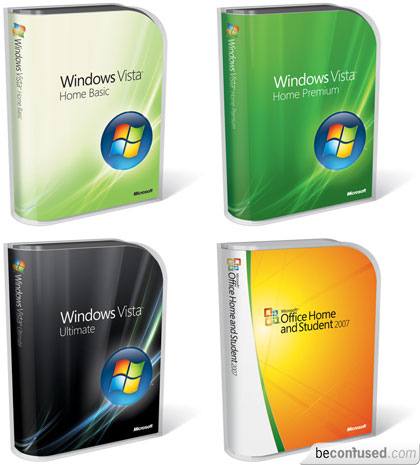
Windows Vista for Small Businesses
Until recently, the Windows Vista operating system from Microsoft was only available to large enterprise clients. Now this desktop operating system is available to small businesses. As a small business owner, you will be happy to learn about the new capabilities that Windows Vista has to offer. Here are some good reasons to consider upgrading your small business operating system to Windows Vista:
With improved search capabilities, you just need to type in a single word to search for folders, documents, emails, and applications - regardless of where they are stored. There's no longer the need to search through layers of menus to find what you're looking for. You'll also find a simplified user interface available at your fingertips. In addition, tabbed windows in Internet Explorer 7.0 can help you navigate between web sites.
You'll find Windows Defender built in, to fight against spyware, malware and unwanted software. An improved built-in firewall makes unauthorized connection with other PCs impossible. The feature helps prevent the spread of viruses and malware. User Account Controls help lock the capabilities of your users at appropriate levels, letting power users gain the full access they need and lower-level users constrained to the level where they are the most needed. Similarly, BitLocker Driver Encryption protects your data in case of the loss or theft of your PC.
Windows SyncCenter allows better synchronization of PDA, PC, and mobile phones. The simple remote access to the wireless network cuts down on the amount of time necessary to connect from the road. Improved power management helps to increase overall system performance and battery life.
Shadow Copy allows you to store file versions automatically. You can choose key files for backup using Windows Backup Center, and indicate where to keep them along with the frequency of backup. Simply retrieve an earlier document or file version to make changes to the most recent version. Share info ad-hoc with Windows Meeting Space. When starting to work with new vendors or contractors, it isn't necessary to wait until they have access to the network to share files; just share the files that you want them to look at.
Easy deployment is possible with the integrated tool suite. Migrating the info over from an old computer is easier than ever with Windows Easy Transfer Wizard. By creating 'hardware-agnostic' images, you can save the need to create different file versions for each type of computer hardware you use.
With improved search capabilities, you just need to type in a single word to search for folders, documents, emails, and applications - regardless of where they are stored. There's no longer the need to search through layers of menus to find what you're looking for. You'll also find a simplified user interface available at your fingertips. In addition, tabbed windows in Internet Explorer 7.0 can help you navigate between web sites.
You'll find Windows Defender built in, to fight against spyware, malware and unwanted software. An improved built-in firewall makes unauthorized connection with other PCs impossible. The feature helps prevent the spread of viruses and malware. User Account Controls help lock the capabilities of your users at appropriate levels, letting power users gain the full access they need and lower-level users constrained to the level where they are the most needed. Similarly, BitLocker Driver Encryption protects your data in case of the loss or theft of your PC.
Windows SyncCenter allows better synchronization of PDA, PC, and mobile phones. The simple remote access to the wireless network cuts down on the amount of time necessary to connect from the road. Improved power management helps to increase overall system performance and battery life.
Shadow Copy allows you to store file versions automatically. You can choose key files for backup using Windows Backup Center, and indicate where to keep them along with the frequency of backup. Simply retrieve an earlier document or file version to make changes to the most recent version. Share info ad-hoc with Windows Meeting Space. When starting to work with new vendors or contractors, it isn't necessary to wait until they have access to the network to share files; just share the files that you want them to look at.
Easy deployment is possible with the integrated tool suite. Migrating the info over from an old computer is easier than ever with Windows Easy Transfer Wizard. By creating 'hardware-agnostic' images, you can save the need to create different file versions for each type of computer hardware you use.
Subscribe to:
Posts (Atom)